Jira time tracking.
Approvals included.
For client-facing Jira teams that need approved hours for billing. Log time on issues, review the week, and export project hours and costs in one app.
Free for Jira sites with up to 10 users · 30-day trial for larger sites
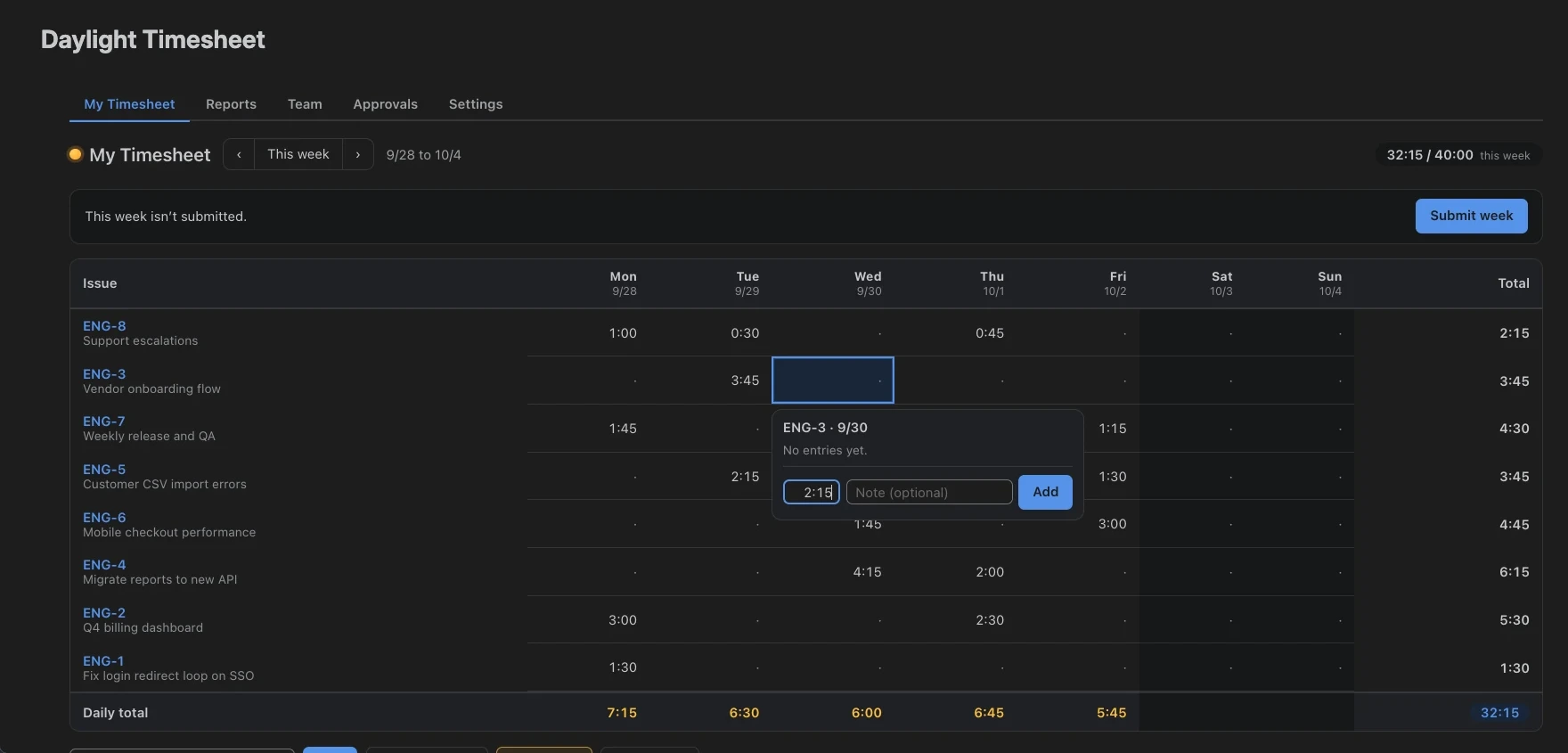
Take a sample week from worklogs to a report.
Maya’s week is missing two Friday hours. Add them, submit the timesheet, and review it as Alex, the sample approver. Then export the same entries to CSV.
Try the interactive workflow →Guided walkthrough included · Fictional data · Changes stay in your tab
40 hours
36 billable hours · US$3,920 configured cost
Inspect the issue totals, rates, billable flags, and CSV columns before you use Daylight with your team.
View the sample report →Download the sample CSV ↓
From logged hours to approved timesheets.
Log time on the issue
Start a timer or use a quick-log button for a known duration. Each entry is a native Jira worklog, authored by you.
Review the whole week
Edit daily entries in one grid. Copy last week or review suggestions from your Jira activity before adding them.
Approve team hours
Review submitted weeks or months. Approve the hours or return them for changes. Daylight locks submitted and approved periods against edits in the app.
Report and export
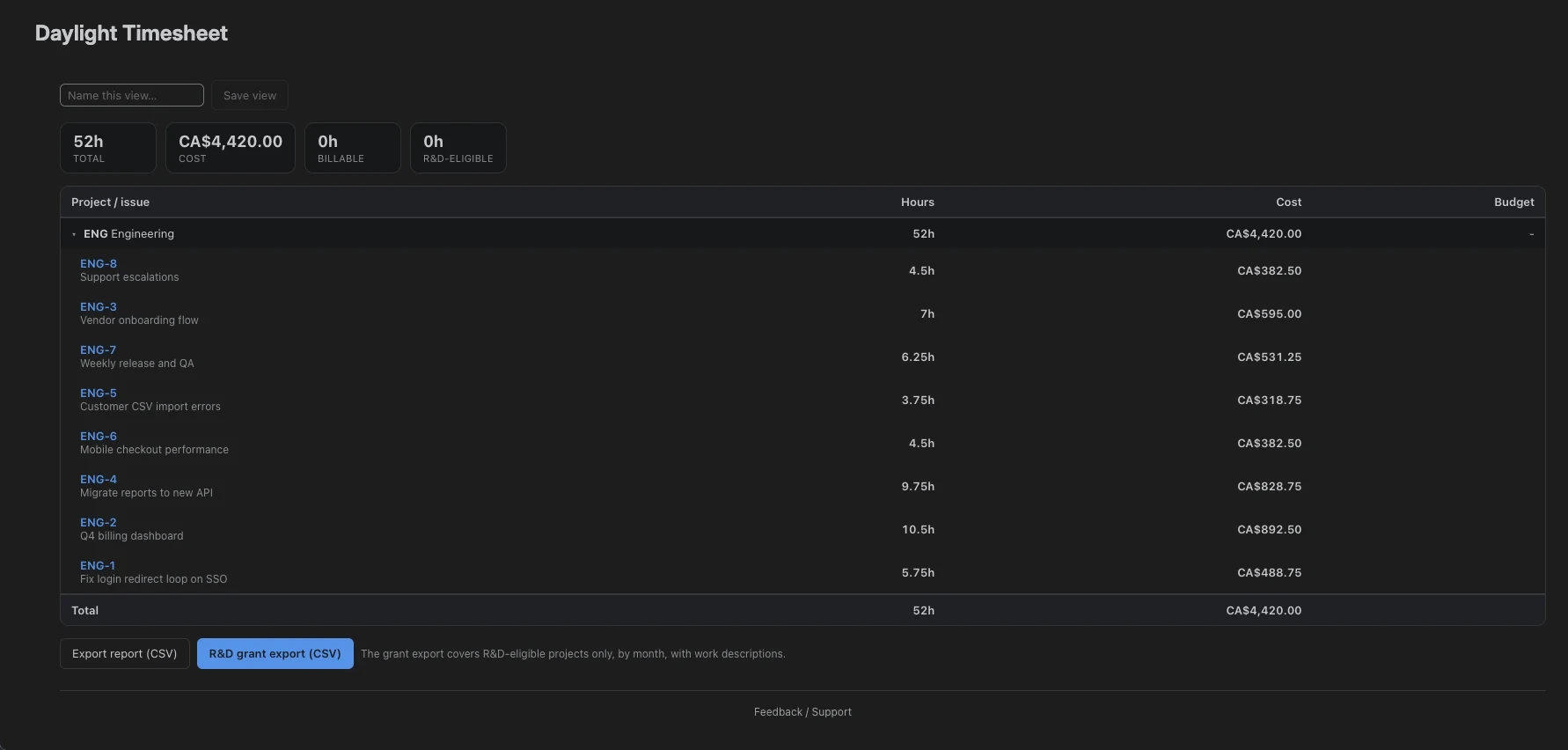
See hours by person and project, with rates and monthly budgets. Export a CSV for billing, payroll, or a project review.
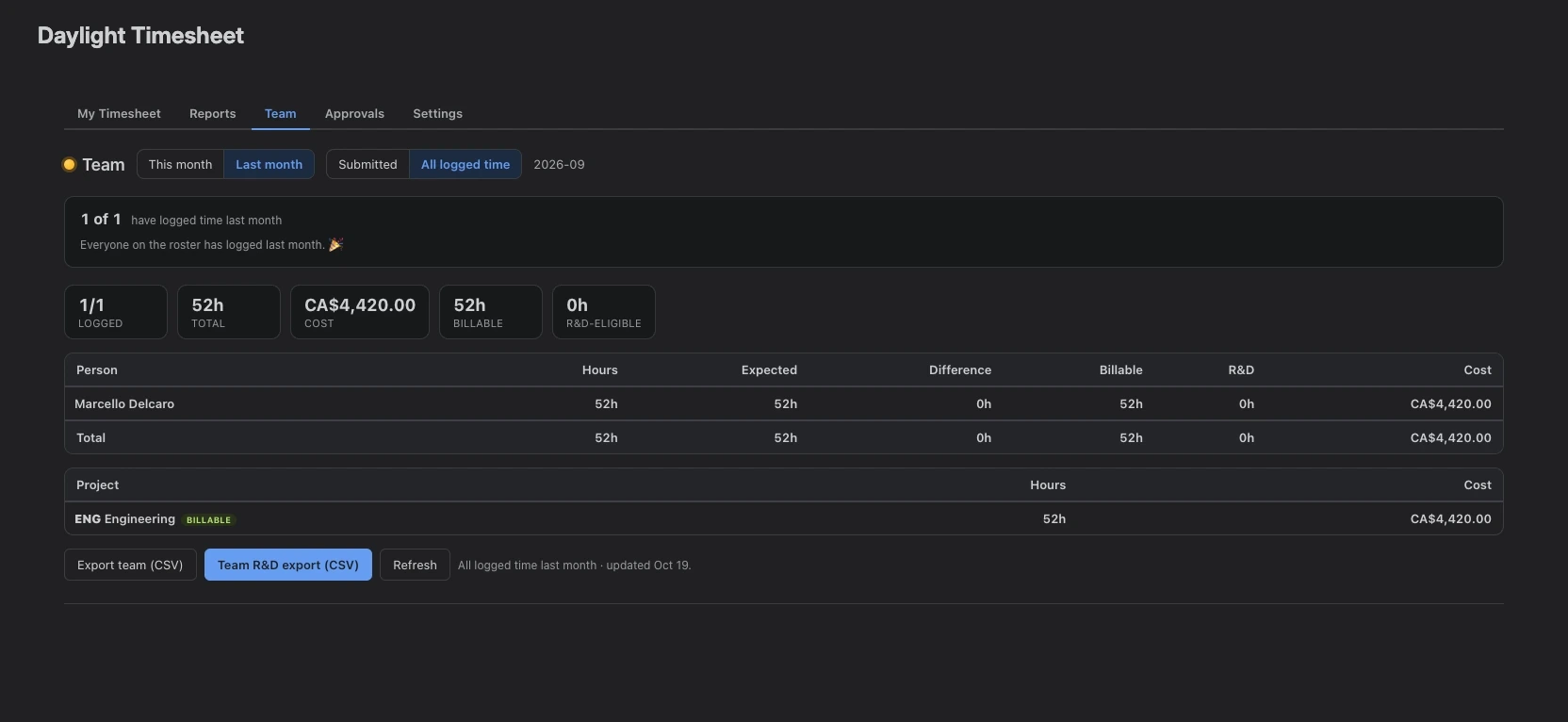
See who has submitted. Review what they logged.
Choose weekly or monthly submissions and assign approvers to each team. Review hours in Daylight, approve them, or send them back with changes requested.
- Log time
- Submit & lock
- Review
- Approve
Turn Jira hours into billing and project reports.
Choose a date range and review hours by project, issue, client account, or entry field. Apply hourly rates to see costs, check monthly budgets, and export the totals. For R&D work, a separate export includes monthly hours and work descriptions.
Track SR&ED project hours in Jira →Your time data stays on Atlassian.
Daylight runs on Atlassian Forge. Your hours and notes are native Jira worklogs; settings and supporting app data use Atlassian-hosted Forge storage. The Jira app sends no app data to external services and includes no third-party analytics.
Atlassian hosts the app and its data in your data-residency region. Your Jira worklogs remain if you uninstall Daylight.
One plan, with approvals included.
The same features are included at every team size. Pricing follows your Jira site’s user count, and billing runs through Atlassian.
Free for up to 10 Jira users.
Timers, timesheets, approvals, rates, budgets, and reports included.
Rates apply in bands.
Each rate applies to the users in that band. Once your site has more than 10 users, all users count toward the paid bill, including the first 10.
| User band | Per user / month |
|---|---|
| 1–100 | US$2.50 |
| 101–250 | US$2.00 |
| 251–1,000 | US$1.50 |
Rates above 1,000 users
| User band | Per user / month |
|---|---|
| 1,001–2,500 | US$1.30 |
| 2,501–5,000 | US$1.15 |
| 5,001–7,500 | US$1.05 |
| 7,501–10,000 | US$0.95 |
| 10,001–15,000 | US$0.85 |
| 15,001–100,000 | US$0.75 |
Example: 150 Jira users
100 × US$2.50 + 50 × US$2.00
US$350/month
Paid subscriptions include a 30-day free trial.
Get your monthly price ↗A fixed price for your user tier.
You pay the yearly price for the tier that covers your Jira site. Annual tiers have different boundaries from the monthly bands.
Example: 150 Jira users
Annual tier: 101–200 users
US$4,500/year
Select Annual in the Marketplace calculator for your site’s yearly quote. The calculator uses the annual tier, rather than multiplying your current monthly total by 12.
Get your annual price ↗All amounts are in US dollars. Rates and examples checked against the public Marketplace listing on October 18, 2026. See current pricing on Atlassian Marketplace ↗
Explore approvals, reporting, and switching tools.
Approvals in Jira
Set up submissions, assign approvers, and understand period locking.
Read the guide →Compare Daylight with Tempo
See the feature differences, then import your Tempo time with a preview and an undo.
Read the guide →SR&ED time records
Record R&D project hours and prepare an export for claim review.
Read the guide →Check the fit with one real project.
Use the one-week trial guide to set up a logger and approver, review a complete period, and compare the export with the report your team needs.
Start tracking time in Jira.
Install Daylight from the Atlassian Marketplace. Free for Jira sites with up to 10 users.