Review the period before you export
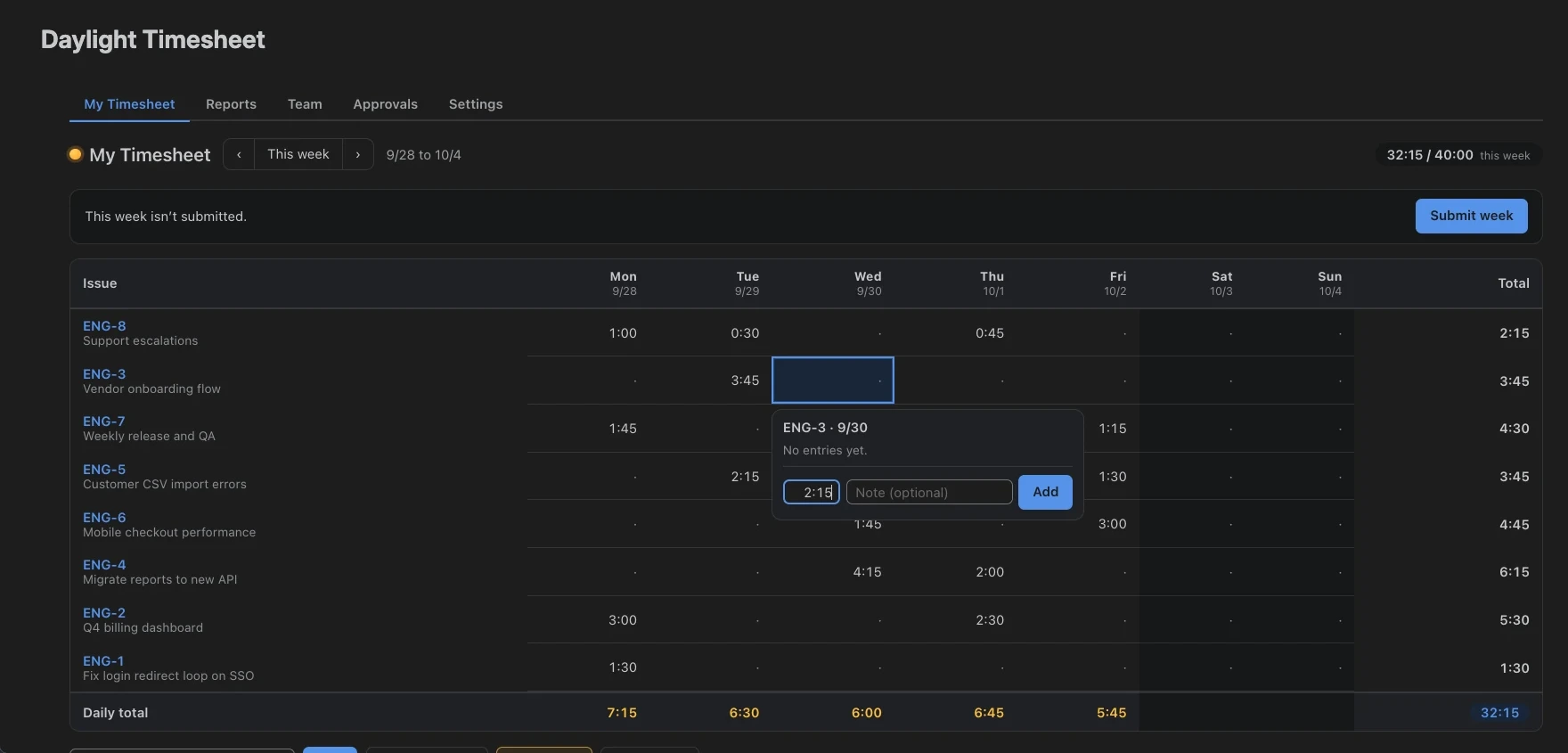
Daylight collects your Jira worklogs in a weekly grid. Team members check their entries and submit a week or calendar month for review, according to your settings.
Approvers see submissions in the Approvals tab. They can approve the hours or return the period for corrections.
Try a sample approval first
Use the interactive preview to submit Maya’s fictional week and review it as a separate approver. You can also inspect the sample CSV report before installing Daylight.
Set up Jira timesheet approvals
- Open Daylight from Jira’s Apps menu.
- In Settings → Features, enable Approvals.
- Under Submission cadence, choose Weekly or Monthly.
- Add reviewers under Approvers. For separate teams, assign members and approvers under Teams.
- Ask team members to review their hours and submit the period.
- Review the submissions in the Approvals tab. Approve the hours or return them for changes.
Keep submitted hours locked during review
Daylight blocks edits to submitted and approved periods in the app. While review is pending, use Unsubmit or have an approver reject the period for corrections. Approved periods stay locked; Daylight currently has no action to reopen them.
The lock applies within Daylight. The underlying entries remain Jira worklogs, so direct Jira edits and other apps follow their own permissions. Configure those permissions to match your review process.
Daylight records every outside change in its audit log. A submission that changed after it was sent shows a “changes after submit” tag, so the approver sees it before signing off.
Assign the right approvers
Assign approvers to specific teams to limit reviews to their members. Without team scoping, your configured approvers work across the organization. Jira site admins manage those assignments.
Check submission coverage, then export
The Team report shows who has logged or submitted time for the selected month. Use Submitted mode for submitted and approved hours, or All logged time to include work that has not been submitted. Export the person and project totals to CSV for billing or payroll.
Personal Reports includes your own logged hours at every approval status. Submitted mode in Team includes both pending and approved periods.
Approvals are included at every team size. Daylight is free for Jira sites with up to 10 users, with a 30-day trial for larger sites.