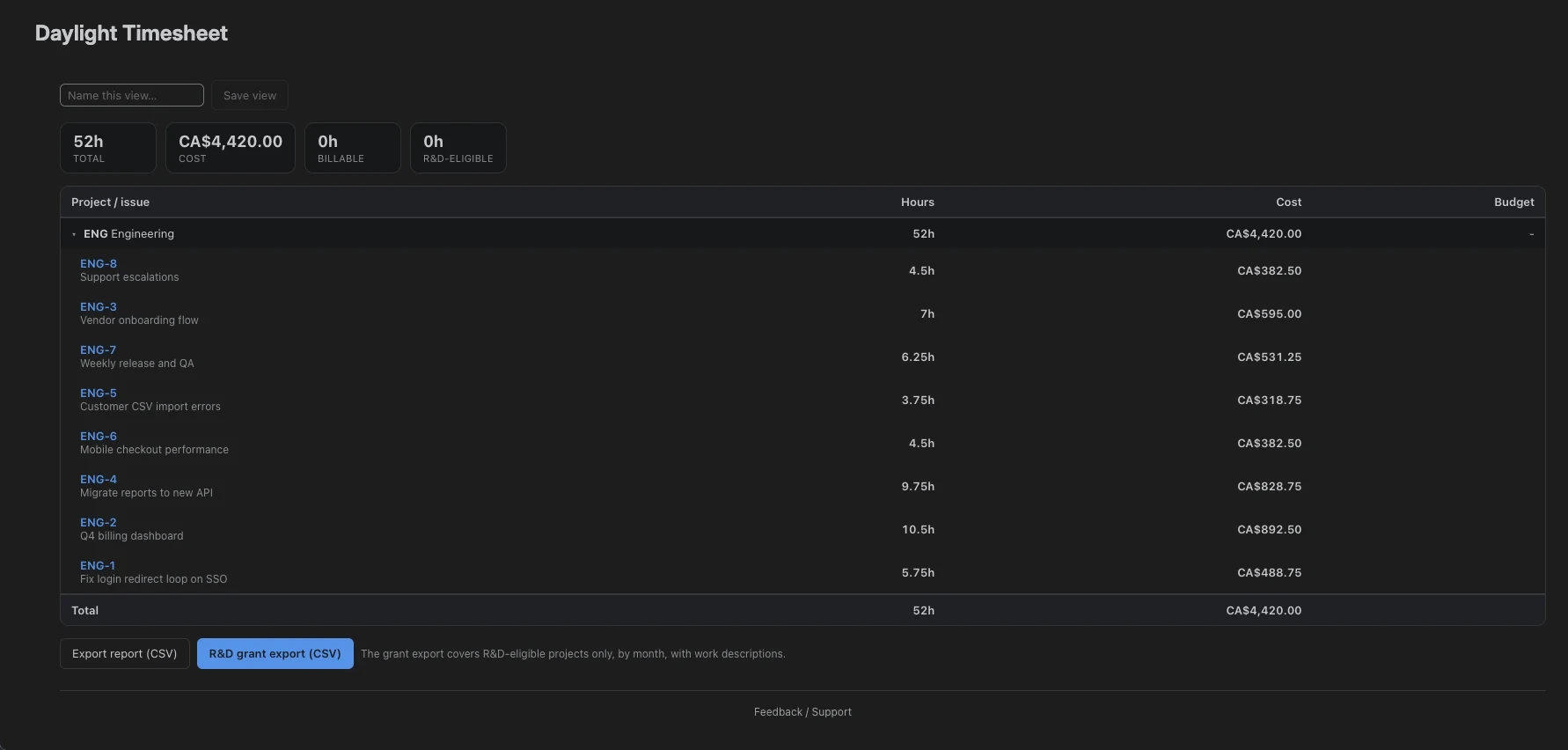
Record the work while you remember it
Log time against the issue you worked on and add a description of the task or experiment. Your team can review those entries while the details are still fresh.
The hours are native Jira worklogs. Use My Timesheet to check dates, durations, and notes before you prepare an export.
Prepare an R&D time export
- In Settings → Features, enable R&D / grant tracking.
- Under Projects, mark the projects your team has identified for R&D tracking.
- Log time against issues in those projects. Add a useful description to each entry.
- Open Reports and select the date range for your review.
- Use the R&D grant export to download a CSV of the marked projects, grouped by month with work descriptions.
- Review the export with the person preparing your claim and reconcile it with your other records.
What the detailed CSV includes
The R&D export in Reports includes your hours for the selected date range, grouped by issue and month. Each row contains:
- Your name, project, month, and Jira issue key
- The issue summary and hours logged
- Labor cost based on configured rates
- The work descriptions from your time entries
Write descriptions your claim preparer can use
Name the task or experiment in the worklog note. “Tested cache invalidation under concurrent writes” gives a reviewer more to work with than “Development.” Keep the investigation, results, and discussion in the linked Jira issue.
Keep time records alongside the technical evidence
Your team decides which projects to mark for R&D tracking. Daylight organizes the hours and descriptions for review. It does not assess SR&ED eligibility, calculate a tax credit, or submit a claim.
The Canada Revenue Agency lists timesheets and activity records alongside technical project records, payroll records, and other supporting documents. Use the time export with those records when you prepare your claim.
Read the CRA’s guidance on preparing and supporting an SR&ED claim →
Use team totals for a wider review
Approvers and admins can export monthly R&D totals by person and project from the Team view. This export summarizes team hours. The detailed export in Reports contains your own issue-level hours and work descriptions. Admins can also review costs when rates are configured.